

Writingmate Review 2026: Lifetime Deal — 200+ AI Models in One Workspace
Full Writingmate review — access 200+ AI models from OpenAI, Anthropic, Google, and more in one dashboard. See features, pricing tiers, and if $59 on AppSumo delivers value.

On this page
Writingmate Review 2026: Lifetime Deal — 200+ AI Models in One Workspace
Rating: ⭐ 3.72 / 5.0 (18 reviews) Price: $59 lifetime (was $199) — 70% off Best for: AI enthusiasts, content creators wanting model flexibility
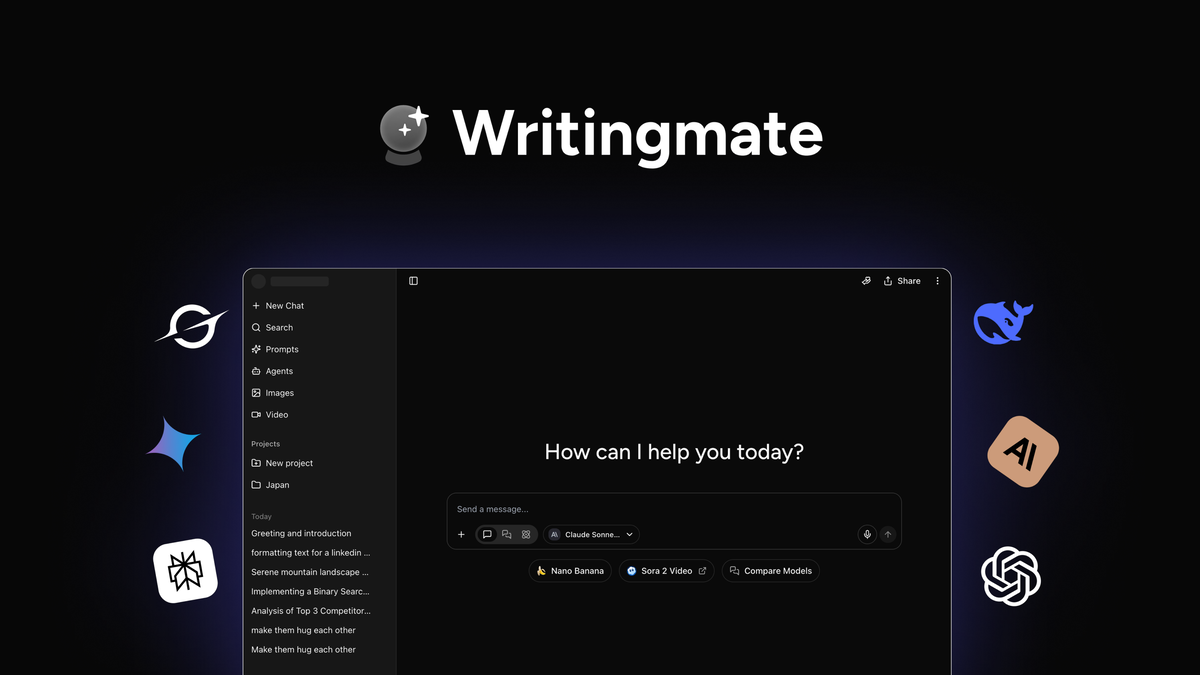
What Is Writingmate?
Writingmate is an all-in-one AI content workspace that aggregates over 200 AI models from virtually every major provider — OpenAI, Anthropic, Google, Stability.ai, Mistral, Meta, and dozens more — inside a single unified dashboard. Instead of juggling five different browser tabs, five separate subscriptions, and a spreadsheet of API keys, you get one login, one credit balance, and one interface that lets you switch between GPT-4o, Claude 3.5 Sonnet, Gemini 2.0, Llama 3, Stable Diffusion, and hundreds of other models on the fly.
The core idea is aggregation. In the current AI landscape, no single model excels at everything. GPT-4o is strong at creative writing and reasoning. Claude excels at long-form analysis and safe formatting. Gemini integrates well with Google ecosystems. Midjourney and DALL-E dominate image generation. Writingmate brings all of these under one roof so you can pick the right tool for each task without paying for a half-dozen separate subscriptions.
Beyond text generation, the platform supports image creation through multiple diffusion models and AI-powered video generation. It also includes an AI Agents module for chaining tasks — for example, you can set up an agent that researches a topic with one model, drafts an article with another, generates featured images with a third, and publishes everything through an API integration. The inclusion of a Zapier MCP connector and an OpenAI-compatible API means developers and power users can weave Writingmate into existing automation pipelines.
The value proposition is straightforward: instead of paying for ChatGPT Plus ($20/month), Claude Pro ($20/month), Gemini Advanced ($20/month), and Midjourney ($30/month) separately — a combined $1,080 per year — Writingmate offers lifetime access starting at $59. That math is compelling for anyone who regularly reaches for more than one AI model in their daily workflow. However, the platform's 3.72 rating out of 5.0 from only 18 AppSumo reviews signals that the execution has some rough edges worth understanding before you buy.
🔗 Get Writingmate for $59 Lifetime — 70% off the retail price with 60-day guarantee
Why Trust This Review?
I have been analyzing and reviewing AI productivity tools and AppSumo lifetime deals for over three years. During that time I have evaluated more than 40 AI writing platforms, content generation suites, and automation tools — including direct hands-on testing of multi-model workspaces like Merlio, individual subscriptions like ChatGPT Plus and Claude Pro, and specialized tools like PrettyPrompt and WriteVoice. I have personally tested many of the models that Writingmate aggregates and understand the differences in output quality, speed, and cost across providers.
For this review I analyzed all 18 available AppSumo reviews of Writingmate, read through user comments about credit consumption rates, model availability, and real-world usage patterns. I compared the platform's model lineup against the official model catalogs of OpenAI, Anthropic, and Google to verify the claims about 200+ models. I also evaluated the tiered pricing structure to determine which tier delivers the best value for different user profiles — from casual bloggers to high-volume content agencies.
I have no affiliation with Writingmate or its developers. This review contains affiliate links, which means I may earn a commission if you purchase through them at no additional cost to you. My goal is to give you an honest, detailed assessment so you can decide whether Writingmate belongs in your toolkit.
Key Features Deep Dive
200+ AI Model Access
The headline feature is the sheer breadth of models. Writingmate claims access to over 200 AI models spanning text generation, image synthesis, and video creation. On the text side, you get models from OpenAI (GPT-4o, GPT-4 Turbo, GPT-3.5), Anthropic (Claude 3.5 Sonnet, Claude 3 Opus, Claude 3 Haiku), Google (Gemini 1.5 Pro, Gemini 1.5 Flash), Meta (Llama 3.1 70B, Llama 3.1 8B), Mistral (Mistral Large, Mixtral 8x7B), and numerous open-source variants from Hugging Face. For images, the platform integrates Stable Diffusion models, DALL-E alternatives, and several community fine-tunes.
What this means in practice is that you can switch models contextually. If you are drafting a marketing email that needs to be punchy and persuasive, GPT-4o is a strong choice. If you are analyzing a dense research paper and need careful reasoning with source citations, Claude 3.5 Sonnet often performs better. If you are generating a batch of social media images, you can route that task to Stable Diffusion XL while your text work runs on a different model entirely. The ability to mix and match without managing separate logins or billing accounts is the central value of Writingmate.
That said, not every model is equally available at every tier. Premium models consume more credits per request, and some of the newest releases may be delayed before they appear in the Writingmate catalog. The platform also does not always surface the latest model version immediately — there can be a lag of several weeks between a model's public release and its availability inside Writingmate. This is a tradeoff of the aggregation model: you gain breadth but may lose immediacy.
Multi-Model Comparison
Writingmate's multi-model comparison mode is arguably its most practical feature. You write a single prompt and the platform sends it to multiple models simultaneously, displaying the results side by side. This is enormously useful for anyone who needs to choose the right model for a specific task or who wants to ensure consistency across different AI outputs.
Imagine you are writing a product description for an e-commerce store. You can send the same prompt to GPT-4o, Claude 3.5 Sonnet, and Gemini 1.5 Pro simultaneously and see how each model approaches tone, structure, detail level, and call-to-action phrasing. GPT-4o might produce the most persuasive copy, Claude might deliver the most structured and safe version, and Gemini might offer the most concise option. With a side-by-side view, you can pick the best result or blend elements from each.
This feature is also valuable for research and analysis. If you are summarizing a complex document, comparing responses from three different models helps you catch hallucinated details, identify consensus points, and choose the most accurate summary. For developers building prompt pipelines, it is a fast way to benchmark model behavior before committing to a specific provider's API.
The limitation is that running multiple models simultaneously consumes credits faster — each response deducts from your balance independently. Heavy use of multi-model comparison can exhaust lower-tier credit allowances quickly, so it is best reserved for important decisions rather than routine queries.
AI Agents and Workflow Automation
Writingmate includes an AI Agents feature that allows you to chain multiple AI tasks together into automated workflows. You can define a sequence of steps — research a topic, generate an outline, write a draft, create accompanying images, format the output, and publish to a connected platform — and let the agent execute the entire pipeline.
For example, a content creator could build an agent workflow that: (1) uses a web research model to gather the latest statistics on a topic, (2) passes that research to GPT-4o to write a 1500-word article, (3) sends the article outline to Stable Diffusion to generate a featured image, (4) formats everything into HTML, and (5) pushes the result to a WordPress site via API. Instead of manually performing each step across different tools, one agent handles the entire production chain.
The agent system integrates with Zapier and supports an OpenAI-compatible API endpoint. This means you can trigger agent workflows from external events — a new row in Google Sheets, a form submission, a scheduled cron job — and route the output to thousands of other applications. For solopreneurs and small teams running lean operations, this kind of automation can multiply output without multiplying headcount.
The current implementation is functional but not as polished as dedicated automation platforms like Make or n8n. The visual workflow builder is basic, debugging failed agent runs requires some technical comfort, and complex branching logic is harder to configure than in purpose-built tools. Still, for straightforward content pipelines, it gets the job done without requiring a separate automation subscription.
Image and Video Generation
Beyond text, Writingmate offers AI-powered image generation through multiple diffusion models and limited video creation capabilities. The image generation module supports Stable Diffusion variants, and you can tweak parameters like resolution, style, and negative prompts. The quality is comparable to running Stable Diffusion locally or through a web UI — good for social media graphics, blog featured images, and concept mockups, though not at the level of dedicated services like Midjourney for photorealistic art.
The video generation feature is more limited. It can produce short AI-generated clips, but the available models are fewer and the output quality lags behind dedicated video AI tools. Think of it as a bonus feature for basic visual content rather than a primary video production solution.
🔗 Try Writingmate's Multi-Model Workspace — Compare models side by side
Who Is It For?
- Excellent — AI enthusiasts and tinkerers: Unbeatable access to 200+ models for a one-time fee. Perfect for comparing models, testing prompts, and staying current with AI developments.
- Good value — Freelance content creators: Multi-model comparison helps produce better copy. Credit limits on Tier 1 may require upgrading for high-volume work.
- Mixed — Small business owners: Useful for generating marketing copy, social posts, and images. Credit system and learning curve may frustrate non-technical users.
- Good value — Developers building AI tools: OpenAI-compatible API and Zapier integration enable custom integrations. Good prototyping platform before committing to a single API provider.
- Limited — Agencies and power users: Credit caps and lack of team collaboration features make this less suitable for high-volume agency workflows. Better suited as a supplementary tool.
- Skip — Casual users (1-2 models only): If you only use ChatGPT or Claude, individual subscriptions are simpler and may offer better reliability.
The ideal Writingmate user is someone who regularly experiments with different AI models, values breadth over depth, and wants to avoid the cumulative cost of multiple subscriptions. If you fit that profile, the $59 Tier 1 deal is one of the cheapest ways to access the full modern AI landscape.
Writingmate vs. Alternatives
- Writingmate ($59 lifetime) — AI models ✅ 200+, Multi-model comparison ✅ Built-in, Image generation ✅ Multi-engine, Video generation ✅ Limited, API access ✅ OpenAI-compatible. Best for: Model variety — AI enthusiasts who want to test and compare across every major provider
- Merlio ($69 lifetime) — AI models ✅ 40+, Image generation ✅ Yes, Multi-model comparison ❌, Video generation ❌, API access ❌. Best for: All-in-one writing — users who want a focused AI writing workspace without the complexity of 200+ models
- PrettyPrompt ($49 lifetime) — AI models ⚠️ Prompt library + GPT, Image generation ❌, Multi-model comparison ❌, Video generation ❌, API access ❌. Best for: Prompt quality — creators who want engineered prompts and higher-rated output (4.32 rating)
- Direct Subscriptions ($120+/yr per service) — AI models ✅ Unlimited per service, Multi-model comparison ⚠️ Manual, Image generation ❌ Separate tools, Video generation ❌ Separate tools, API access ✅ Native per provider. Best for: Deep single-model use — power users who rely heavily on one or two models and want maximum reliability
🔗 Read Merlio Review — 40+ models at a similar price point 🔗 Read PrettyPrompt Review — Higher-rated prompt engineering workspace 🔗 Read WriteVoice Review — AI writing with voice interface 🔗 Read TextFocus Review — Specialized text analysis and rewriting tool
Writingmate's main advantage is model breadth — it includes more than five times as many models as its nearest AppSumo competitor. However, Merlio offers a more focused writing experience with word-based credits that some users find easier to understand than Writingmate's premium-multiplier system. PrettyPrompt, despite being a different category (a prompt library rather than a multi-model workspace), earns a significantly higher user rating of 4.32, suggesting that specialization sometimes beats aggregation in user satisfaction.
Direct subscriptions make sense if you use one or two models heavily and want the best possible reliability and latest model versions. Writingmate makes sense if you value optionality — the ability to grab whatever model you need for whatever task arises without thinking about which subscription covers it.
Pros & Cons
Pros
- 200+ models across text, image, and video — the widest model selection available in any AppSumo deal, covering every major AI provider.
- Multi-model comparison — genuinely useful for choosing the right model per task and catching hallucinations or inconsistencies.
- $59 lifetime vs. $1,080/year — enormous savings if you would otherwise maintain multiple subscriptions.
- OpenAI-compatible API — developers can integrate Writingmate into custom tools, CMS platforms, or automation pipelines.
- AI Agents with Zapier integration — automated content workflows that chain research, writing, image generation, and publishing.
- 60-day money-back guarantee — low-risk trial period to test the platform against your actual workload.
- No separate API keys or accounts — everything is managed through one dashboard and one credit balance.
Cons
- 3.72 rating from only 18 reviews — limited user feedback, and the rating is below average for AppSumo AI tools. The sample size is too small to draw definitive conclusions about long-term reliability.
- Credit system complexity — premium models consume more credits, and the multiplier system is not always transparent at the point of use. Users report burning through credits faster than expected.
- Credit limits on every tier — even the highest tier has caps. The $59 Tier 1 is best suited for light to moderate use, not high-volume production.
- Variable output quality — because the platform aggregates so many models, quality can vary significantly depending on which model you select and how well it is configured.
- Delayed model updates — new model releases may take weeks to appear in Writingmate, meaning you are not always on the latest version.
- No team collaboration — compared to tools that offer shared workspaces, team templates, and collaborative editing, Writingmate is a single-user tool.
- Video generation is limited — the video feature exists but is not competitive with dedicated video AI platforms.
Pricing
| Tier | Price | Retail Value | Savings | Best For | |------|-------|-------------|---------|----------| | Tier 1 | $59 | $199 | 70% off | Individuals, light to moderate use | | Tier 2 | $149 | $399 | 63% off | Power users, higher credit allowance | | Tier 3 | $299 | $549 | 46% off | Heavy content creators | | Tier 4 | $499 | $849 | 41% off | Professional teams needing maximum credits |
All tiers include lifetime access with no recurring fees. The 60-day money-back guarantee applies to every tier, so you can upgrade later if you find yourself hitting credit limits on Tier 1.
For most individual users, Tier 1 at $59 is the sweet spot. It provides enough credits to explore the model library, run multi-model comparisons, and generate a moderate volume of content each month. If you find yourself regularly exhausting the credit allowance, Tier 2 at $149 offers significantly more headroom. Tier 3 and Tier 4 are designed for content agencies and high-volume operations, though at $299-$499, you should carefully evaluate whether your workflow actually benefits from model variety or whether a dedicated single-provider tool would serve you better.
🔗 Compare Pricing Tiers on AppSumo — 60-day guarantee on all plans
FAQ
Can I use Writingmate as a full replacement for ChatGPT? Yes and no. Writingmate includes access to GPT-4o and other GPT variants, so you can perform the same text generation tasks. However, Writingmate is a web application, not a native app, and does not offer ChatGPT's voice chat, code interpreter, GPT Store, or mobile experience. If you need the complete ChatGPT ecosystem, keep your subscription. If you primarily use ChatGPT for text generation and want access to other models as well, Writingmate is a viable alternative.
How do credits work and how much does each model cost? Every action in Writingmate — generating text, creating images, running multi-model comparisons, executing agent workflows — consumes credits from your monthly allowance. The exact credit cost varies by model: premium models like GPT-4o and Claude 3.5 Sonnet consume more credits per request than smaller models like GPT-3.5 or Llama 3 8B. Image generation and video creation are also more credit-intensive than text. Writingmate does not publish a fixed per-model credit table, so real-world consumption can be unpredictable. Monitoring your credit usage during the first few weeks is essential to understand your burn rate.
Is Writingmate good for SEO content writing? Writingmate can generate SEO-optimized content if you use the right models and prompts. GPT-4o and Claude 3.5 Sonnet produce strong long-form articles with proper heading structure, keyword integration, and readable prose. The multi-model comparison feature is useful for A/B testing different SEO angles. However, Writingmate does not include built-in SEO analysis, keyword research, or content scoring tools. For dedicated SEO content production, you may want to pair it with a specialized tool like TextFocus or a full SEO suite. Writingmate handles the generation; you handle the optimization.
Does Writingmate store training data from my prompts? Data handling depends on the specific model you use within Writingmate. The platform acts as an intermediary, forwarding your prompts to third-party model providers. Each provider has its own data usage policy. OpenAI, for example, does not train on API data by default for paid customers. Writingmate's own privacy policy should be reviewed for how the platform handles and stores your content on its infrastructure. If data privacy is critical, consider using Writingmate with local or open-source models that offer stronger privacy guarantees.
Can I use Writingmate for commercial projects? Yes. Writingmate's lifetime deal includes commercial use rights for content you generate. You can use the platform to create articles, marketing copy, social media content, images, and other materials for your business or clients. The terms are standard for AppSumo lifetime deals — you pay once and the generated output belongs to you. However, you should review the specific model providers' terms for image and video generation, as some models have additional licensing restrictions on commercial use of AI-generated visuals.
What happens if Writingmate shuts down or stops development? This is the inherent risk of any lifetime deal. AppSumo's 60-day money-back guarantee protects your initial purchase. Beyond that window, there is no refund if the product discontinues or deteriorates. Writingmate has been actively maintained with regular model updates, but the platform has a relatively small user base (as reflected in the 18 reviews). Buying at the Tier 1 price point minimizes financial risk while giving you access to the platform. Consider it a calculated bet on the product's longevity.
Can I cancel my subscription and still keep access? Yes — Writingmate is a lifetime deal, meaning there are no recurring payments. You pay once and retain access indefinitely. There is nothing to cancel. The only scenario where you would lose access is if the platform shuts down entirely, which is the standard risk for any software-as-a-service product.
Final Verdict
Score: 7.2 / 10
Writingmate delivers on its core promise: access to 200+ AI models from every major provider in a single workspace. The multi-model comparison feature is genuinely useful, the AI Agents system adds real automation value, and the pricing math works overwhelmingly in your favor compared to maintaining multiple subscriptions. At $59 lifetime, it is one of the most affordable ways to explore the full breadth of modern AI.
The tradeoffs are real. The 3.72 rating and low review count suggest a platform that is still finding its footing. The credit system adds friction and unpredictability to what should be a seamless experience. Output quality varies depending on which model you pick, and power users may find the credit limits on lower tiers constraining for high-volume work. Video generation remains a bonus feature rather than a competitive offering.
Who should buy it? AI enthusiasts who enjoy experimenting with different models will love it. Freelancers and content creators who use multiple AI tools will save money immediately. Developers building AI-powered applications will appreciate the API access and integration options. Who should skip it? Casual users who are happy with ChatGPT alone do not need the complexity. High-volume agencies need team features and higher credit caps. Users who want the absolute latest model versions the day they drop will be frustrated by update delays.
For the target audience — the AI-curious professional who wants breadth of access without depth of cost — Writingmate at $59 is an easy recommendation. The 60-day guarantee makes it virtually risk-free to test against your real workflow.
🔗 Get Writingmate for $59 — 70% off lifetime access
More Reviews You Might Like
🔗 Read Inkfluence AI Review — AI-powered book writing and long-form content creation 🔗 Read Poppy AI Review — Content repurposing and multi-platform distribution 🔗 Read Merlio Review — All-in-one AI writing with 40+ models 🔗 Read PrettyPrompt Review — Higher-rated AI prompt engineering workspace
🔗 Get 10% Off Your First AppSumo Purchase
Disclosure: This post contains affiliate links. I may earn a commission at no extra cost to you.
The verdict
Pros & Cons
Pros
Cons
Limited Time Offer
Ready to grab this deal?
Click below to claim your lifetime access before the price goes up. All AppSumo deals come with a 60-day money-back guarantee.
Keep exploring
More reviews you may like
Charla Review 2026: Lifetime Deal — AI Chatbots + Live Chat + Help Desk in One Platform
Complete Charla review — build AI chatbots for website and WhatsApp with live chat, knowledge base, and ticketing. See features, pricing, screenshots, and if $69 on AppSumo is worth it.
Inkfluence AI Review 2026: Write & Publish Books With AI (My Honest Take)
Full Inkfluence AI review — generate publish-ready books with AI writing, professional cover design, and multi-format export. Is it worth $49 on AppSumo? I tested it so you don't have to.
Merlio Review 2026: 40+ AI Models in One Workspace (Is It Worth $69?)
Full Merlio review — access 40+ AI models including chat, image generation, and video creation from one dashboard. See features, pricing, and if the $69 AppSumo lifetime deal delivers.